
蘇州 IT 技術支持
Suzhou IT Support & Global Digital Services
讓科技更簡單,讓好工具真正為你所用。
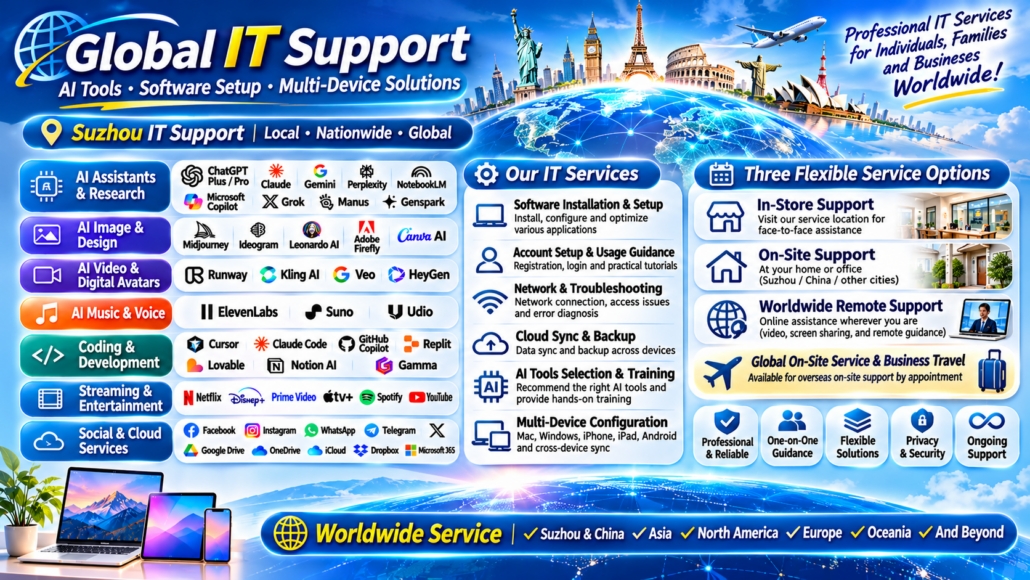
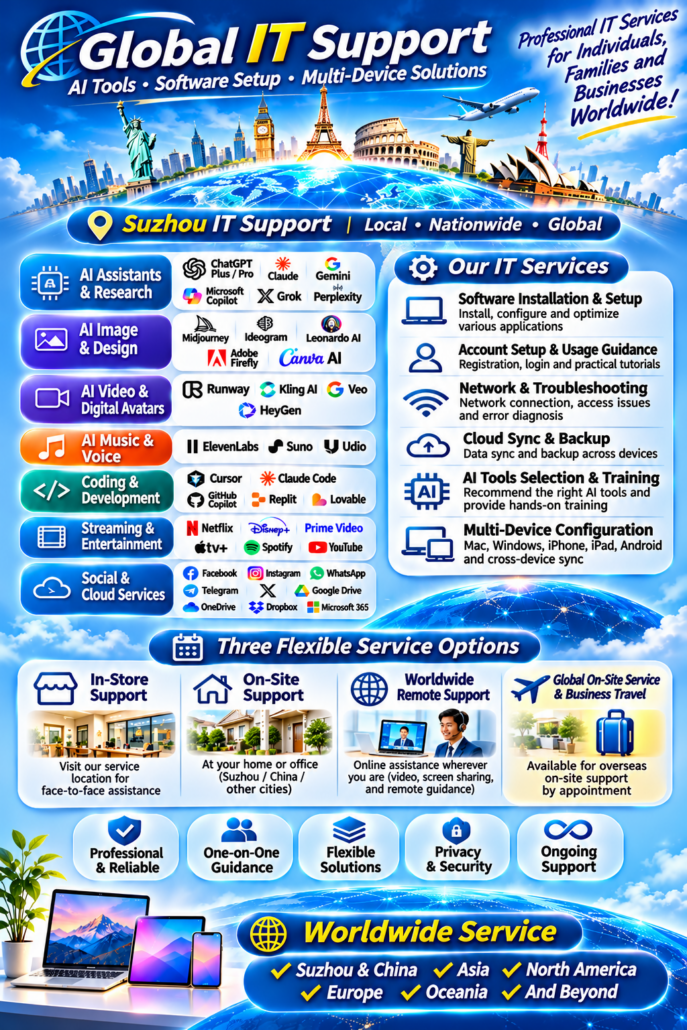
專業 IT 技術支持、AI 工具配置、全球應用服務及多設備技術指導。
無論你需要安裝軟體、配置電腦、使用 AI 工具、設定手機,還是解決網絡和應用問題,我們都可以根據你的需求提供相應的技術支持。
我們服務蘇州本地個人、家庭、學生、創作者及企業客戶,同時為全球各地的客戶提供遠程在線技術指導。
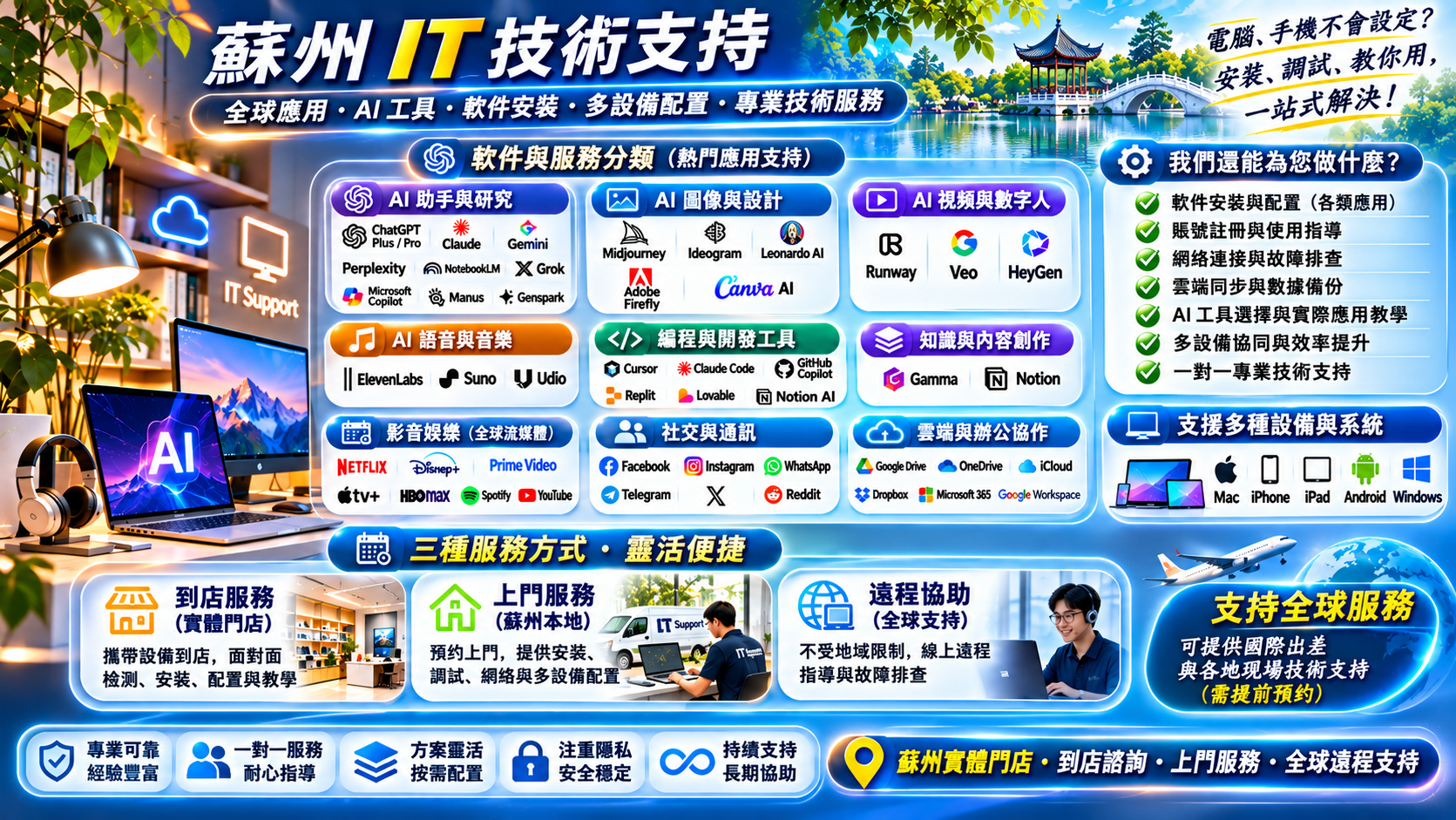
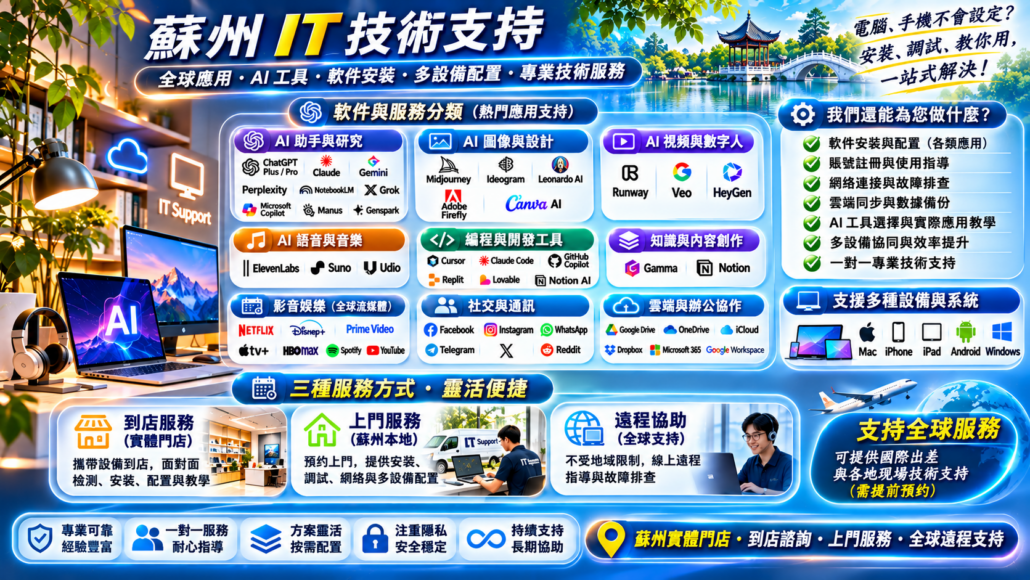
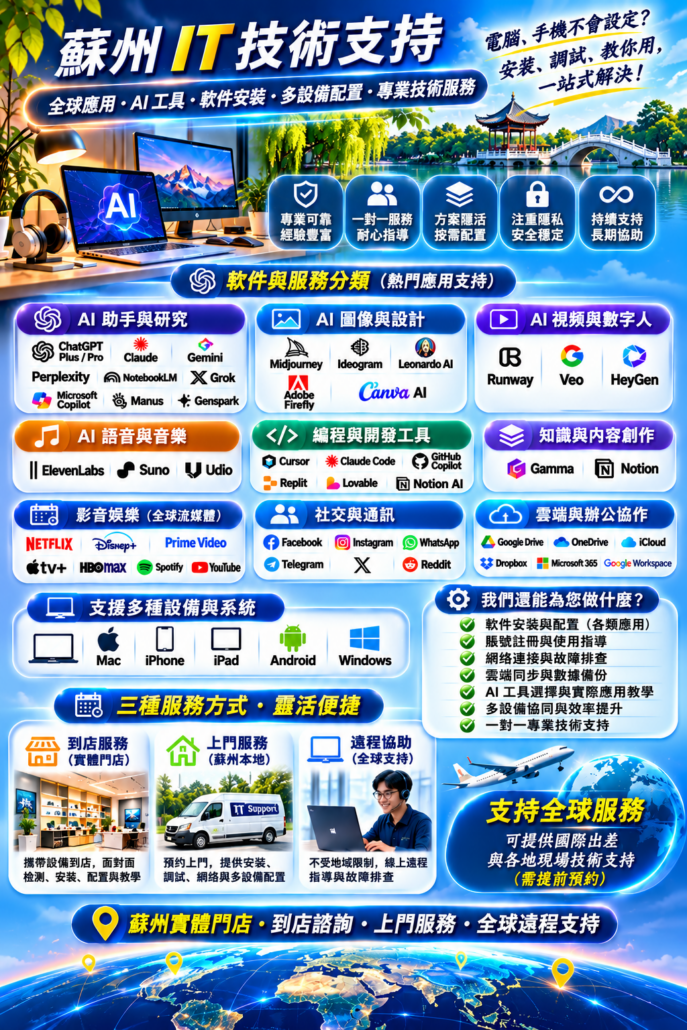
三種服務方式:
- 到店服務:親自到店,面對面解決技術問題。
- 上門服務:蘇州本地預約上門安裝、配置與教學。
- 全球在線服務:不受地域限制,透過遠程協助提供技術指導。
Suzhou IT Support | On-site & In-store Services | Worldwide Remote Assistance
一、我們提供哪些服務?
Our Services
01. AI 人工智能工具服務
AI Tools & Productivity Support
幫助個人及企業掌握最新的人工智能工具,從基礎配置到實際應用,提升工作、學習和創作效率。
AI 對話、研究與智能助手
- ChatGPT(Plus / Pro)
- Claude
- Google Gemini
- Perplexity
- Microsoft Copilot
- Grok
- Google NotebookLM
- Manus
- Genspark
AI 圖片生成與設計
- Midjourney
- Ideogram
- Leonardo AI
- Adobe Firefly
- Canva AI
AI 影片與數字人
- Runway
- Google Veo
- HeyGen
AI 音樂與語音
- Suno
- Udio
- ElevenLabs
AI 編程與效率工具
- Cursor
- Claude Code
- GitHub Copilot
- Replit
- Lovable
- Notion AI
- Gamma
服務內容:
- AI 工具安裝、配置及使用指導。
- 帳號註冊、登入和安全設定指導。
- AI 文字、圖片、影片、音樂生成教學。
- AI 寫作、翻譯、研究和辦公應用。
- AI 工作流程搭建與效率優化。
- 個人及企業 AI 工具選型建議。
02. 全球影音與娛樂應用
Streaming & Digital Entertainment
協助客戶配置國際主流影音娛樂應用,解決設備兼容、軟體安裝及常見使用問題。
支援平台:
- Netflix
- Disney+
- Amazon Prime Video
- Apple TV+
- HBO Max
- Spotify
- YouTube
服務內容:
- 影音應用安裝與設備配置。
- 智能電視、電腦、手機和平板設定。
- 官方帳號登入及使用指導。
- 常見播放、連接及兼容問題排查。
- 官方會員及訂閱方案使用指導。
03. 全球社交與通訊應用
Social Media & Communication
為個人、留學生、海外工作者及企業提供國際社交與通訊應用配置服務。
支援平台:
- Telegram
- X(Twitter)
服務內容:
- 軟體安裝及初始設定。
- 帳號註冊、登入與安全配置指導。
- 隱私保護與安全設定。
- 手機、平板、電腦多設備配置。
- 常見連接與使用問題排查。
04. 雲端儲存與辦公協作
Cloud Storage & Productivity
幫助個人和企業建立高效、穩定的多設備數碼辦公環境。
支援平台:
- Google Drive
- Microsoft OneDrive
- Apple iCloud
- Dropbox
- Microsoft 365
- Google Workspace
- Notion
服務內容:
- 雲端帳號與應用配置。
- 文件同步及多設備協作。
- 雲端備份與資料管理。
- Microsoft Office 辦公環境設定。
- 電子郵件及辦公軟體配置。
- 跨設備工作環境搭建。
05. 電腦、手機與多設備技術支持
Computer, Mobile & Multi-device Support
支援多種主流設備與操作系統,提供軟體、系統及設備使用方面的技術支持。
Apple 設備
- MacBook、iMac、Mac mini
- iPhone
- iPad
- macOS、iOS、iPadOS
Android 設備
- Google Pixel
- Samsung Galaxy
- 其他 Android 手機及平板
Windows 設備
- Windows 桌上型電腦
- Windows 筆記型電腦
- Windows 10 / 11
服務內容:
- 新設備初始化與系統配置。
- 常用軟體安裝及設定。
- 瀏覽器與應用配置。
- 電腦及手機常見問題排查。
- 多設備資料同步。
- 系統更新及軟體兼容性檢查。
- 個人及家庭數碼設備使用教學。
06. 網絡與連接技術支持
Network & Connectivity Support
針對網站訪問、應用連接、網絡配置及設備連接問題,提供技術診斷與配置協助。
服務內容:
- 網絡環境檢查及基本配置。
- 網絡連接與常見故障排查。
- 瀏覽器及應用連接問題處理。
- 網絡速度和穩定性優化。
- 多設備網絡環境配置。
- 常見軟體及系統連接問題診斷。
所有服務均以所在地區法律法規及相關平台政策為準。
二、三種靈活服務方式
Three Flexible Ways to Get Support
1. 到店服務 | In-store Support
面對面交流,現場解決問題。
歡迎蘇州本地客戶預約到店,攜帶電腦、手機或平板設備,由我們協助檢查和處理相關技術問題。
適合:
- 電腦及手機軟體安裝。
- AI 工具配置與使用教學。
- 新設備初始化。
- 軟體及帳號設定。
- 常見故障診斷。
- 一對一操作指導。
到店地址與服務時間請提前預約確認。
2. 蘇州上門服務 | On-site IT Support in Suzhou
不方便出門?我們可以預約上門服務。
面向蘇州本地個人、家庭及企業客戶,根據實際需求提供上門技術支持。
服務範圍包括:
- 電腦、手機與平板配置。
- 軟體安裝及系統設定。
- AI 工具安裝與使用指導。
- 網絡環境檢查與調試。
- 多設備資料同步。
- 家庭辦公環境配置。
- 企業日常 IT 技術協助。
上門服務請提前預約,具體服務區域及安排以確認結果為準。
3. 全球遠程在線服務 | Worldwide Remote IT Support
無論你身在何處,都可以獲得技術指導。
透過互聯網、視頻交流、屏幕共享或經客戶同意的安全遠程協助方式,為全球各地客戶提供技術支持。
服務對象:
- 海外華人及留學生。
- 海外工作者及自由職業者。
- 個人 AI 工具使用者。
- 國際創作者。
- 中小企業及遠程辦公團隊。
遠程服務內容:
- AI 軟體安裝與使用教學。
- 電腦與手機配置指導。
- 軟體及帳號問題排查。
- 雲端服務配置。
- 辦公軟體使用指導。
- 多設備連接與同步。
- 一對一在線技術諮詢。
不論你在美國、加拿大、英國、澳洲、日本、香港、台灣或其他地區,均可聯繫我們諮詢遠程服務。
具體服務能力視客戶所在地區、設備及網絡環境而定。
三、為什麼選擇我們?
Why Choose Us?
一站式技術服務 | All-in-one IT Support
不需要為不同軟體和設備尋找不同的技術人員,從 AI 工具到電腦手機配置,提供多類型技術協助。
多平台支持 | Cross-platform Compatibility
支援 Mac、iPhone、iPad、Android 及 Windows 等主流設備。
個性化服務 | Personalized Solutions
根據客戶實際使用場景提供合適的配置與技術方案。
一對一指導 | One-on-one Guidance
不只是完成安裝,更注重操作教學,幫助客戶真正掌握工具。
三種服務模式 | Flexible Support Options
到店服務、蘇州上門以及全球遠程在線指導。
重視隱私與安全 | Privacy & Security
尊重用戶隱私,遠程操作事先取得客戶同意,不要求客戶向我們透露密碼或驗證碼。
四、服務流程
How It Works
- 聯繫我們,描述你的設備和技術需求。
- 確認需要解決的問題及適用的服務方式。
- 預約到店、蘇州上門或安排遠程指導。
- 進行安裝、配置、診斷或操作教學。
- 完成後確認使用情況,提供必要的後續支持。
五、聯繫我們
Contact Us
遇到技術問題?讓我們幫你解決。
無論你需要 AI 工具使用指導、軟體安裝、電腦手機配置、網絡連接排查,還是企業辦公技術支持,都歡迎聯繫我們。
服務地點:
Suzhou, China & Worldwide Online
服務方式:
In-store Support | On-site Support | Worldwide Remote Support
聯繫方式:
- E-Mail:[email protected]
- Wechat: lifetravelling
- Whatsapp:

到店及上門服務請提前預約。
讓科技更簡單,讓好工具真正為你所用!
服務聲明
我們提供獨立第三方 IT 技術支持、軟體配置及數碼科技指導服務,並非本網站所提及的任何軟體平台、應用程式或品牌的官方代理商、授權服務商或合作夥伴。
本網站提及的所有產品名稱、商標及品牌標誌均屬於其各自的權利人所有,僅用於識別相關產品及說明技術支持服務範圍。
所有帳號註冊、會員訂閱及付費服務,均須遵守相關平台的使用條款及所在地區的法律法規。我們不提供未經授權的帳號、盜版軟體或未經授權的會員訂閱共享服務。
Suzhou IT Support
Global Digital Services, AI Tools & Multi-Device Technical Support
Making Technology Simple. Helping You Get More from the Tools You Use.
Professional IT support, AI tool assistance, software configuration, network troubleshooting, and multi-device solutions.
Whether you need help setting up a new computer, configuring your mobile device, using the latest AI tools, installing software, or solving connectivity issues, we provide practical technology support tailored to your needs.
We serve individuals, families, students, content creators, professionals, and businesses in Suzhou and worldwide.
Three Flexible Service Options:
- In-Store Support: Visit us for face-to-face technical assistance.
- On-Site Support: Book a home or office visit in Suzhou, China.
- Worldwide Remote Support: Get online technical guidance wherever you are.
In-Store | On-Site in Suzhou | Worldwide Remote Assistance
1. Our Services
AI Tools & Productivity Support
Discover the power of artificial intelligence. We help individuals and businesses set up, understand, and use popular AI tools for productivity, research, content creation, design, and software development.
AI Assistants, Research & Productivity
- ChatGPT (Plus / Pro)
- Claude
- Google Gemini
- Perplexity
- Microsoft Copilot
- Grok
- Google NotebookLM
- Manus
- Genspark
AI Image Generation & Design
- Midjourney
- Ideogram
- Leonardo AI
- Adobe Firefly
- Canva AI
AI Video & Digital Avatars
- Runway
- Google Veo
- HeyGen
AI Music & Voice Generation
- Suno
- Udio
- ElevenLabs
AI Coding & Development Tools
- Cursor
- Claude Code
- GitHub Copilot
- Replit
- Lovable
AI Knowledge Management & Content Creation
- Notion AI
- Gamma
Our AI Support Services Include:
- AI tool installation and configuration.
- Account setup, login assistance, and security guidance.
- AI writing, research, translation, and productivity workflows.
- AI image, video, music, and voice generation tutorials.
- AI-assisted programming and development guidance.
- Personalized AI tool recommendations.
- Workflow optimization for individuals and businesses.
2. Streaming & Digital Entertainment
Get help setting up popular international streaming and entertainment platforms across your supported devices.
Supported Platforms:
- Netflix
- Disney+
- Amazon Prime Video
- Apple TV+
- HBO Max
- Spotify
- YouTube
Our Support Includes:
- App installation and device configuration.
- Official account login and usage guidance.
- Smart TV, computer, tablet, and smartphone setup.
- Playback and compatibility troubleshooting.
- Guidance on official membership and subscription options.
Platform availability depends on your location, device compatibility, and the provider’s policies.
3. Social Media & Communication
Stay connected with friends, family, colleagues, and international communities.
We provide setup and usage assistance for popular global social media and communication platforms.
Supported Platforms:
- Telegram
- X (Twitter)
Our Support Includes:
- App installation and initial configuration.
- Account registration and login guidance.
- Privacy and security settings.
- Multi-device configuration.
- Common connectivity and usage troubleshooting.
4. Cloud Storage & Productivity Solutions
Build a more efficient digital workspace with cloud storage, file synchronization, backup, and office productivity solutions.
Supported Platforms:
- Google Drive
- Microsoft OneDrive
- Apple iCloud
- Dropbox
- Microsoft 365
- Google Workspace
- Notion
Our Support Includes:
- Cloud account and application configuration.
- File synchronization across multiple devices.
- Cloud backup and file management.
- Office software installation and setup.
- Email and productivity application configuration.
- Cross-device workflow optimization.
- Troubleshooting synchronization and storage issues.
5. Computer, Mobile & Multi-Device IT Support
We provide technical assistance for major operating systems and devices, helping you create a reliable and efficient digital environment.
Apple Devices
- MacBook
- iMac
- Mac mini
- iPhone
- iPad
- macOS, iOS, and iPadOS
Android Devices
- Google Pixel
- Samsung Galaxy
- Other Android smartphones and tablets
Windows Devices
- Desktop computers
- Windows laptops
- Windows 10 and Windows 11
Our Support Includes:
- New device setup and initial configuration.
- Software installation and troubleshooting.
- Browser and application configuration.
- System updates and compatibility checks.
- Data synchronization between devices.
- Common computer and smartphone troubleshooting.
- Personal and home office technology setup.
- One-on-one device usage guidance.
6. Network & Connectivity Support
Experiencing connection problems, application errors, or unstable network performance?
We provide technical diagnosis and configuration assistance for common network and connectivity issues.
Our Support Includes:
- Network environment assessment.
- Network setup and configuration.
- Website and application connectivity troubleshooting.
- Connection stability optimization.
- Multi-device network configuration.
- Browser and software connection troubleshooting.
- General system and connectivity diagnostics.
All services are subject to applicable local laws, network conditions, and platform policies.
2. Three Flexible Ways to Get IT Support
We understand that every customer has different needs and preferences. That is why we offer three convenient ways to access our services.
In-Store Support
Visit Us for Face-to-Face Technical Assistance.
Bring your computer, smartphone, tablet, or other devices to our service location in Suzhou.
Our in-store services include:
- Software installation and configuration.
- AI tools setup and tutorials.
- New device initialization.
- Account and application configuration.
- Computer and smartphone diagnostics.
- One-on-one technical guidance.
Please contact us in advance to confirm our address, business hours, and appointment availability.
On-Site IT Support in Suzhou
Professional Technical Assistance at Your Home or Office.
Don’t have time to visit us? Book an on-site appointment in Suzhou.
We provide convenient technical assistance for individuals, families, home offices, and businesses.
Our on-site services include:
- Computer, smartphone, and tablet setup.
- Software installation and system configuration.
- AI tool setup and usage guidance.
- Network environment inspection and troubleshooting.
- Multi-device configuration and synchronization.
- Home office and workplace technology setup.
- General IT assistance for individuals and businesses.
On-site visits are available by appointment. Service areas and availability will be confirmed before booking.
Worldwide Remote IT Support
Get Expert Technology Guidance Wherever You Are.
Location should not prevent you from getting the technical assistance you need.
We provide online technical guidance to customers worldwide through video calls, screen sharing, and secure remote assistance methods with customer authorization.
Our remote support services include:
- AI software installation and usage tutorials.
- Computer and smartphone configuration.
- Software and application troubleshooting.
- Cloud service setup and configuration.
- Office software guidance.
- Multi-device synchronization.
- One-on-one technical consultations.
We welcome inquiries from customers in the United States, Canada, the United Kingdom, Australia, Japan, Hong Kong, Taiwan, and other regions.
Remote service availability depends on your location, network environment, device compatibility, and applicable regulations.
3. Why Choose Us?
All-in-One IT Support
From AI applications to computer and mobile device configuration, we provide a wide range of practical technology solutions in one place.
Cross-Platform Compatibility
Support for Mac, iPhone, iPad, Android, and Windows devices.
Personalized Technology Solutions
We understand that every user has different needs. Our support is tailored to your actual devices, applications, and usage requirements.
One-on-One Technical Guidance
We don’t just install software. We help you understand how to use it effectively.
Flexible Service Options
Choose in-store assistance, on-site support in Suzhou, or worldwide remote guidance.
Privacy & Security
We respect your privacy and handle customer information responsibly. Remote access requires your authorization, and we never ask you to disclose your passwords or verification codes.
Continued Technical Assistance
Our goal is to help you solve problems and make better use of your technology, not simply complete a one-time installation.
4. How It Works
Getting technical support is simple.
Step 1 — Contact Us
Tell us about your device, software, location, and technical issue.
Step 2 — Discuss Your Requirements
We assess your needs and recommend an appropriate support option.
Step 3 — Choose Your Service Method
Arrange an in-store visit, an on-site appointment in Suzhou, or an online remote session.
Step 4 — Get Technical Assistance
We help with installation, configuration, troubleshooting, or one-on-one guidance.
Step 5 — Follow-Up Support
We confirm that your issue has been addressed and provide relevant follow-up guidance.
5. Who We Serve
Our services are designed for a wide range of users.
- Individuals: People who need help with computers, smartphones, applications, or AI tools.
- Families: Households looking for reliable digital device and software assistance.
- Students: Students who need support with research, learning platforms, and productivity tools.
- Content Creators: Creators using AI image, video, music, and editing applications.
- Professionals: Individuals who want to improve their digital workflows and productivity.
- Businesses: Small businesses and teams requiring software configuration, cloud services, and everyday IT assistance.
- International Users: Overseas Chinese and international customers seeking practical remote technology guidance.
6. Contact Us
Need Help with Your Technology?
Whether you need assistance with AI tools, software installation, computer configuration, network connectivity, cloud services, or mobile devices, we are here to help.
Tell us what you need, and we will help you find a suitable solution.
Service Location:
Suzhou, China & Worldwide Online
Three Ways to Get Support:
- In-Store Support
- On-Site IT Support in Suzhou
- Worldwide Remote IT Support
Contact Information:
- E-Mail:[email protected]
- Wechat: lifetravelling
- Whatsapp:
For in-store and on-site services, please contact us in advance to arrange an appointment.
Making Technology Simple. Helping You Get More from the Tools You Use.
Service Disclaimer
We provide independent third-party IT support, software configuration, and digital technology guidance. We are not affiliated with, endorsed by, or an official representative of the software platforms, application developers, or brands mentioned on this website.
All product names, logos, and trademarks belong to their respective owners and are used for identification and service-description purposes only.
Account registration, subscriptions, and paid services must comply with the relevant platform terms and local laws. We do not provide pirated software, unauthorized accounts, or unauthorized subscription sharing.
Service availability may vary according to the customer’s location, platform restrictions, device compatibility, and applicable regulations.